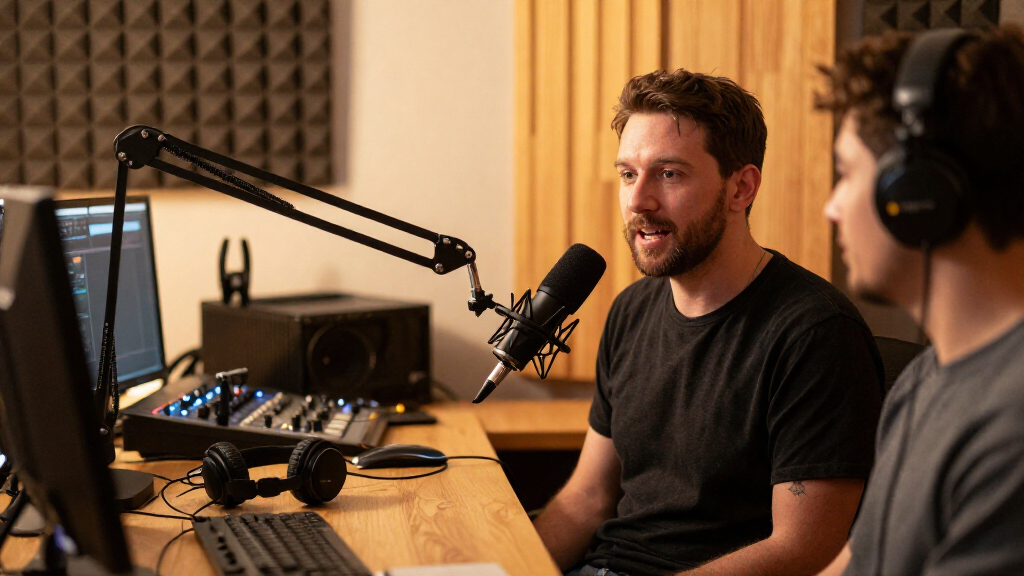

The best podcast microphone for most people is the Shure MV7+, which pairs USB-C convenience with an XLR connection for a path to more advanced recording. For a ready-to-mount setup, the FIFINE AmpliTank K688CT bundles a boom arm, while the MAONO PD200W stands out for recording two people wirelessly. The main tradeoffs are dynamic versus condenser pickup, USB simplicity versus XLR flexibility, and a tidy desk setup versus gear that travels. I’ve compared 15 podcast microphones across those needs, from entry-level USB models to broadcast-style and wireless options. Read on for the full breakdown and help matching a mic to your recording space and show format.

Get everyday essentials delivered free with Prime
- Fast, free delivery on millions of items
- Prime Video, Amazon Music and more included
- Member-only deals all year
Complete the kit


Key Takeaways
- The Shure MV7+ ranks first for flexibility: USB-C makes it accessible for a simple setup, while XLR supports a more expandable recording chain.
- Included accessories change the value of a setup: the FIFINE AmpliTank K688CT and AM8T include boom-arm kits, while several microphones need a separate mount or stand.
- Two similar listings may represent different bundles: the Shure MV7+ with a stand and without one, and the FIFINE AM8 and AM8T, should be compared by included equipment rather than name alone.
- Wireless models serve a different recording style: the MAONO PD200W bundle for two and ZealSound K66 dual-mic option suit multi-person or mobile recording better than a fixed solo desk setup.
- Four pickup patterns add flexibility but not automatic quality: the Logitech Blue Yeti models offer pattern choices, while dynamic mics may be a more straightforward fit for untreated rooms and close-mic podcasting.
| Shure MV7+ USB-C and XLR Podcast Dynamic Microphone, Black |  | Best Overall | Microphone type: Dynamic | Connectivity: USB-C, XLR | Polar pattern: Unidirectional | VIEW LATEST PRICE | See Our Full Breakdown |
| FIFINE AmpliTank K688CT USB/XLR Dynamic Podcast Microphone Kit with Boom Arm | 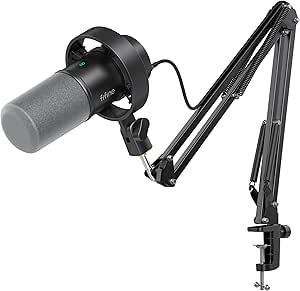 | Best Complete Starter Kit | Microphone type: Dynamic | Connectivity: USB, XLR | Polar pattern: Cardioid (unidirectional) | VIEW LATEST PRICE | See Our Full Breakdown |
| MAONO A04 USB Condenser Microphone Kit |  | Best USB Condenser Kit | Microphone type: 16 mm electret condenser | Connectivity: USB, USB Type-C | Sampling rate: 192 kHz/24-bit | VIEW LATEST PRICE | See Our Full Breakdown |
| FIFINE AmpliGame AM8 USB/XLR Dynamic Microphone |  | Best for Gaming and Podcasting | Microphone type: Dynamic | Connectivity: USB, XLR | Polar pattern: Cardioid (unidirectional) | VIEW LATEST PRICE | See Our Full Breakdown |
| Logitech Blue Yeti USB Microphone with Blue VO!CE, Four Pickup Patterns, and Desktop Stand | 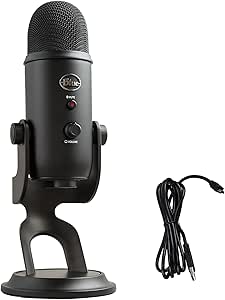 | Best for Multi-Person Recording | Microphone type: Tri-capsule condenser | Connectivity: USB | Pickup patterns: Cardioid, omnidirectional, bidirectional, stereo | VIEW LATEST PRICE | See Our Full Breakdown |
| Logitech Blue Yeti USB Microphone with Blue VO!CE Effects, Four Pickup Patterns, Midnight Blue |  | Best for Flexible Recording Setups | Connectivity: USB Type-A | Microphone type: Tri-capsule condenser | Pickup patterns: Cardioid, omnidirectional, bidirectional, stereo | VIEW LATEST PRICE | See Our Full Breakdown |
| Mini Mic Pro Wireless Lavalier Microphone for iPhone and Android | 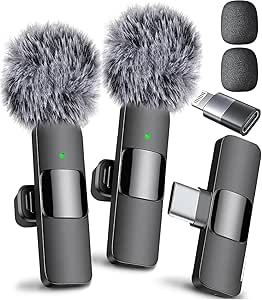 | Best for Mobile Interviews | Connectivity: Wireless | Connectors: Lightning and USB-C | Microphone type: Omnidirectional lavalier | VIEW LATEST PRICE | See Our Full Breakdown |
| TONOR TC-777 USB Podcast Microphone with Tripod and Pop Filter | 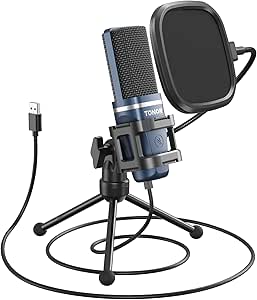 | Best Starter Desk Kit | Model: TC-777 | Connectivity: USB Type-A | Pickup pattern: Unidirectional | VIEW LATEST PRICE | See Our Full Breakdown |
| Shure MV7+ USB-C and XLR Podcast Dynamic Microphone with Stand, Black |  | Best for Room-Noise Control | Connectivity: USB and XLR | Connector types: USB Type-C and XLR | Microphone type: Dynamic | VIEW LATEST PRICE | See Our Full Breakdown |
| MAONO PD200W Hybrid Wireless Podcast Microphone Bundle for Two |  | Best Two-Person Wireless Bundle | Connectivity: Wireless, USB, XLR | Microphone type: Dynamic | Capsule size: 30 mm | VIEW LATEST PRICE | See Our Full Breakdown |
| FIFINE AmpliGame AM8T USB/XLR Dynamic Gaming Microphone Kit with Boom Arm |  | Best Complete USB/XLR Starter Kit | Microphone type: Dynamic | Connectivity: USB and XLR | Polar pattern: Unidirectional (cardioid) | VIEW LATEST PRICE | See Our Full Breakdown |
| ZealSound K66 Dual Wireless Podcast Microphones with Noise Reduction |  | Best for Two-Person Wireless Recording | Microphones: 2 | Wireless connection: 2.4 GHz receiver | Audio format: 48 kHz/24-bit | VIEW LATEST PRICE | See Our Full Breakdown |
| RØDE PodMic Cardioid Dynamic Broadcast Microphone, XLR | 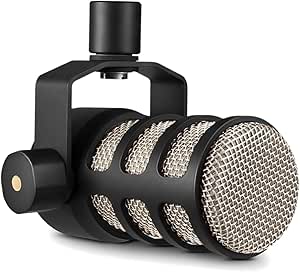 | Best for a Durable XLR Podcast Setup | Microphone type: Dynamic | Connectivity: XLR | Polar pattern: Unidirectional (cardioid) | VIEW LATEST PRICE | See Our Full Breakdown |
| ZealSound K66 USB Podcast Microphone with Noise Reduction, Gain and Volume Controls, and Mute |  | Best for Simple, Adapter-Friendly USB Recording | Microphone type: Condenser | Pickup pattern: Cardioid | Frequency response: 40 Hz–18 kHz | VIEW LATEST PRICE | See Our Full Breakdown |
| MAONO PD200W Hybrid Wireless Podcast Microphone |  | Best Hybrid Mic for Flexible Recording | Microphone type: Dynamic | Connectivity: Wireless, USB-C, and XLR | Pickup pattern: Unidirectional (cardioid) | VIEW LATEST PRICE | See Our Full Breakdown |
| podcast microphone | Microphone type | Connectivity | Signal-to-noise ratio | Polar pattern |
|---|---|---|---|---|
| Shure MV7+ USB-C and XLR Podca | Dynamic | USB-C, XLR | 60 dB | Unidirectional |
| FIFINE AmpliTank K688CT USB/XL | Dynamic | USB, XLR | 80 dB | Cardioid (unidirectional) |
| MAONO A04 USB Condenser Microp | 16 mm electret condenser | USB, USB Type-C | 70 dB | Cardioid |
| FIFINE AmpliGame AM8 USB/XLR D | Dynamic | USB, XLR | 80 dB | Cardioid (unidirectional) |
| Logitech Blue Yeti USB Microph | Tri-capsule condenser | USB | 100 dB | — |
| Logitech Blue Yeti USB Microph | Tri-capsule condenser | USB Type-A | 70 dB | — |
| Mini Mic Pro Wireless Lavalier | Omnidirectional lavalier | Wireless | — | — |
| TONOR TC-777 USB Podcast Micro | — | USB Type-A | 80 dB | — |
| Shure MV7+ USB-C and XLR Podca | Dynamic | USB and XLR | 65 dB | Unidirectional |
| MAONO PD200W Hybrid Wireless P | Dynamic | Wireless, USB, XLR | 82 dB | Unidirectional (cardioid) |
| FIFINE AmpliGame AM8T USB/XLR | Dynamic | USB and XLR | 80 dB | Unidirectional (cardioid) |
| ZealSound K66 Dual Wireless Po | — | — | — | — |
| RØDE PodMic Cardioid Dynamic B | Dynamic | XLR | 78 dB | Unidirectional (cardioid) |
| ZealSound K66 USB Podcast Micr | Condenser | — | — | — |
| MAONO PD200W Hybrid Wireless P | Dynamic | Wireless, USB-C, and XLR | 82 dB | — |
More Details on Our Top Picks
Shure MV7+ USB-C and XLR Podcast Dynamic Microphone, Black
The Shure MV7+ is my strongest all-round pick for solo podcasting because it pairs a voice-focused dynamic capsule with both USB-C and XLR. USB-C keeps a computer setup simple, while XLR leaves room to add an audio interface later. Its automatic gain adjustment and real-time noise reduction can help keep levels more consistent and reduce distracting room sound, a useful advantage over the more feature-flexible but condenser-based Blue Yeti. The customizable LED panel adds level monitoring and tap-to-mute without requiring a separate control surface. The tradeoff is that this is a corded, one-channel microphone, not a portable or multi-person solution; its listed computer compatibility is also specific to Windows 10 and macOS 12. I’d choose it over the more budget-oriented FIFINE K688CT for its additional automatic audio tools, but not if an included boom arm is a priority.
Pros:- USB-C and XLR support both direct computer recording and a later interface-based setup.
- Automatic gain adjustment can help maintain more consistent voice levels.
- Real-time noise reduction and voice isolation are useful in less-than-quiet rooms.
- LED touch panel provides level monitoring and tap-to-mute.
Cons:- Requires a wired connection and is not suited to mobile recording away from a setup.
- Listed computer compatibility is limited to Windows 10 and macOS 12.
- The supplied product details do not list a boom arm or stand.
Best for: Solo podcasters who want a voice-oriented dynamic mic, simple USB-C setup now, and the option to move to XLR recording later.
Not ideal for: Buyers who need a portable wireless mic, a complete boom-arm kit, or confirmed compatibility beyond the listed Windows 10 and macOS 12 systems.
- Microphone type:Dynamic
- Connectivity:USB-C, XLR
- Polar pattern:Unidirectional
- Frequency response:50 Hz–16 kHz
- Signal-to-noise ratio:60 dB
- Channels:1
- Enclosure material:Metal
- Listed computer compatibility:Windows 10, macOS 12
Our verdict“Choose the MV7+ for a flexible, voice-focused solo podcast setup with USB-C convenience and an XLR upgrade path.”
FIFINE AmpliTank K688CT USB/XLR Dynamic Podcast Microphone Kit with Boom Arm
The FIFINE AmpliTank K688CT makes a practical starting point for a desk-based podcast because its kit includes a metal boom arm, windscreen, and shock mount. That means fewer mounting and vibration-control pieces to source than with the Shure MV7+, whose supplied details do not list those accessories. Its dynamic capsule and cardioid pickup pattern focus on one speaker, while USB mode adds tap-to-mute, gain adjustment, and headphone monitoring. Those controls make it easier to manage a recording directly from the mic. The main compromise appears if you switch to XLR: the microphone’s controls are unavailable in that mode, so the USB conveniences do not carry over to an interface-based setup. Check desk dimensions too—the clamp fits desks under two inches thick. I’d favor this over the FIFINE AM8 when included mounting hardware matters more than RGB lighting.
Pros:- Includes a metal boom arm, windscreen, and shock mount for a ready-to-mount setup.
- USB and XLR connectivity support computer recording and an interface-based setup.
- USB mode offers tap-to-mute, gain, headphone volume, and monitoring.
- Cardioid dynamic design focuses on the primary speaker.
Cons:- Microphone controls are unavailable when connected via XLR.
- The desk clamp only fits desks under two inches thick.
Best for: First-time solo podcasters building a fixed desk setup who want a dynamic mic, boom arm, and basic USB monitoring controls in one kit.
Not ideal for: People with desks two inches thick or more, or podcasters who expect to use onboard mute and gain controls while recording through XLR.
- Microphone type:Dynamic
- Connectivity:USB, XLR
- Polar pattern:Cardioid (unidirectional)
- Frequency range:50 Hz–16 kHz
- Maximum SPL:120 dB
- Signal-to-noise ratio:80 dB
- Included accessories:Boom arm, windscreen, shock mount
- Desk clamp fit:Desks under 2 inches thick
Our verdict“Pick the K688CT if you want a dynamic USB/XLR mic with the key desk-mounting accessories already included.”
MAONO A04 USB Condenser Microphone Kit
The MAONO A04 is for buyers who want a complete USB recording kit and prefer a condenser mic’s broad frequency coverage to a dynamic model like the FIFINE K688CT. Its 16 mm capsule and 192 kHz/24-bit sampling provide a high-resolution recording format, while the cardioid pattern directs the mic toward one speaker. The kit’s scissor arm, shock mount, pop filter, and foam windscreen give a new podcaster useful tools for positioning the mic and controlling plosives and handling noise without piecing together a setup. It also connects by USB and USB Type-C and supports several computer, console, and phone platforms. The tradeoff is that it is a condenser microphone, so buyers should think carefully about their recording environment rather than assuming it will suit a noisy room as well as a dynamic option. It is not compatible with Xbox, and its clamp fits desktops under 2.1 inches thick.
Pros:- Includes a scissor arm, shock mount, pop filter, and foam windscreen.
- Plug-and-play USB connection requires no extra drivers.
- 192 kHz/24-bit sampling supports high-resolution recording.
- USB and USB Type-C connections and broad listed device compatibility suit several recording setups.
Cons:- Not compatible with Xbox.
- The desk clamp fits desktops less than 2.1 inches thick.
- Condenser design may be a less suitable fit than a dynamic mic for a noisy recording space.
Best for: Podcasters recording at a quiet desk who want a USB condenser mic, included positioning and pop-control accessories, and compatibility with supported computers or mobile devices.
Not ideal for: Xbox users, owners of desks 2.1 inches thick or more, or speakers recording in noisy spaces who would rather choose a dynamic mic such as the MV7+.
- Microphone type:16 mm electret condenser
- Connectivity:USB, USB Type-C
- Sampling rate:192 kHz/24-bit
- Polar pattern:Cardioid
- Frequency range:30 Hz–16 kHz
- Signal-to-noise ratio:70 dB
- Included accessories:Scissor arm stand, shock mount, pop filter, foam windscreen, boom arm base, USB-A/USB-C to USB-B cable
- Compatibility:PC, laptops, Mac, PS4, PS5, mobile phones; not Xbox
Our verdict“Choose the A04 for a quiet-room USB podcast setup where an included arm and recording accessories matter more than dynamic-mic noise handling.”
FIFINE AmpliGame AM8 USB/XLR Dynamic Microphone
The FIFINE AmpliGame AM8 suits creators who want one mic for podcasting and streaming, with a more visual, gaming-oriented setup than the restrained Shure MV7+. In USB mode, it combines a cardioid dynamic capsule with tap-to-mute, gain control, headphone monitoring, and controllable RGB lighting. That mix lets a streamer monitor audio and manage basic recording functions at the desk while coordinating the mic’s look with a gaming setup. The USB/XLR connection choice also leaves room to use an interface later. There are limits: RGB and the function controls stop working in XLR mode, and the XLR cable is not included. Its enclosure combines ABS plastic and metal, unlike the K688CT’s listed all-metal enclosure, and the product details do not include a boom arm. I’d choose it over the K688CT for USB lighting and mic-stand thread flexibility, but the K688CT is the more complete kit for mounting.
Pros:- USB and XLR connectivity allow a direct computer setup or later interface use.
- USB mode includes tap-to-mute, headphone monitoring, gain, and volume controls.
- Controllable RGB lighting with a memory function adds a configurable streaming detail.
- 3/8-inch and 5/8-inch threads support many mic stands.
Cons:- XLR cable is not included.
- RGB lighting and function controls are unavailable in XLR mode.
- The supplied product details do not list a boom arm.
Best for: Streamers and podcasters who record over USB, want headphone monitoring and mute controls at the mic, and value controllable RGB lighting.
Not ideal for: Buyers seeking an included boom arm or XLR cable, or anyone who needs RGB and onboard function controls to work while using XLR.
- Microphone type:Dynamic
- Connectivity:USB, XLR
- Polar pattern:Cardioid (unidirectional)
- Frequency response:50 Hz–16 kHz
- Signal-to-noise ratio:80 dB
- Features:Tap-to-mute, headphone monitoring, monitoring volume control, gain control, RGB lighting in USB mode
- Thread sizes:3/8 in and 5/8 in
- Enclosure material:ABS plastic and metal
Our verdict“Choose the AM8 if your podcasting overlaps with USB gaming or streaming and you want mic-mounted controls plus configurable lighting.”
Logitech Blue Yeti USB Microphone with Blue VO!CE, Four Pickup Patterns, and Desktop Stand
The Blue Yeti earns its place for podcasters who need more than a single-speaker mic: its four selectable pickup patterns cover cardioid, omnidirectional, bidirectional, and stereo recording. That flexibility can support solo narration, a conversation across the mic, or wider ambient capture—setups the Shure MV7+, with its unidirectional pattern, is not designed to handle in the same way. The Yeti also offers onboard gain, mute, pattern selection, headphone volume, and real-time monitoring, along with Blue VO!CE effects. It connects over USB and includes a desktop stand, with support for a mic stand or boom arm. Its main tradeoff is less connectivity flexibility: unlike the MV7+ and both FIFINE dynamic options, it has no XLR output. Full functionality also requires installing Logitech G HUB, and its condenser design may be a less fitting choice for a noisy desk than a dynamic mic.
Pros:- Four pickup patterns adapt to solo, group, bidirectional, and stereo recording.
- Onboard controls include gain, mute, pickup-pattern selection, and headphone volume.
- Real-time headphone monitoring and Blue VO!CE effects support a managed USB recording setup.
- Includes an adjustable desktop stand and can attach to a mic stand or boom arm.
Cons:- USB-only connectivity provides no XLR path to an audio interface.
- Full functionality requires downloading and installing Logitech G HUB.
- Condenser design may be less suitable than the MV7+ for a noisy recording environment.
Best for: Podcasters who record interviews around one microphone, switch between solo and group formats, or want onboard pickup-pattern selection and USB controls.
Not ideal for: Buyers who need XLR connectivity, prefer a dynamic mic for a noisy room, or want all listed functions without installing Logitech G HUB.
- Microphone type:Tri-capsule condenser
- Connectivity:USB
- Pickup patterns:Cardioid, omnidirectional, bidirectional, stereo
- Frequency response:20 Hz–20 kHz
- Signal-to-noise ratio:100 dB
- Channels:2
- Impedance:16 ohms
- Compatibility:Mac and PC
Our verdict“Choose the Blue Yeti when pickup-pattern flexibility for solo and multi-person formats matters more than XLR connectivity.”
Logitech Blue Yeti USB Microphone with Blue VO!CE Effects, Four Pickup Patterns, Midnight Blue
The Blue Yeti is the most adaptable desktop option in this group: its four pickup patterns let a podcaster switch between solo speech, a two-person face-to-face setup, and capturing sound from more than one direction. That flexibility sets it apart from the TONOR TC-777, which uses a single unidirectional pattern and is better suited to one speaker at a time. Onboard gain, mute, pattern, and headphone-volume controls also make routine adjustments easy without reaching for software, while zero-latency monitoring helps catch problems as you speak. The tradeoff is its condenser design and desktop placement, which can pick up more room sound than a close-positioned dynamic mic such as the Shure MV7+. Blue VO!CE adds vocal effects, but using its full feature set requires Logitech G HUB, and the USB-A connection may need an adapter for newer devices.
Pros:- Four pickup patterns suit solo recording, interviews, and broader sound capture.
- Onboard gain, mute, pattern, and headphone-volume controls simplify session adjustments.
- Zero-latency headphone monitoring helps catch audio issues while recording.
- Blue VO!CE software adds vocal effects and modulation options.
Cons:- Condenser capture can include more room noise than the Shure MV7+ dynamic design.
- Full Blue VO!CE functionality requires installing Logitech G HUB.
- USB Type-A may require an adapter for some current devices.
Best for: Podcasters recording at a desk who want one USB mic for solo episodes, interviews, and occasional group discussions.
Not ideal for: Speakers in untreated, noisy rooms who need strong room-noise rejection, or mobile users whose devices lack USB-A and an adapter.
- Connectivity:USB Type-A
- Microphone type:Tri-capsule condenser
- Pickup patterns:Cardioid, omnidirectional, bidirectional, stereo
- Frequency response:20 Hz–20 kHz
- Signal-to-noise ratio:70 dB
- Channels:2
- Compatibility:Mac and PC
- Enclosure material:Metal
Our verdict“Choose the Blue Yeti if you want a versatile desk microphone for several recording formats and can manage its room sensitivity and USB-A connection.”
Mini Mic Pro Wireless Lavalier Microphone for iPhone and Android
For podcasting away from a desk, the Mini Mic Pro prioritizes portability over the fuller control set of a desktop microphone. Its two lavalier mics and receiver are designed for clipped-on speech, making it a practical fit for on-location interviews or video podcasts recorded on a phone. Included USB-C and Lightning adapters cover a wider range of mobile devices than the USB-A-only TONOR TC-777, and foam and dead-cat tips offer some help against wind and handling conditions. The compromise is a battery-powered wireless setup with up to six hours of stated runtime, rather than the always-connected desk workflow of the Blue Yeti. Its omnidirectional lavaliers also capture sound from around the wearer, so they are less suited to isolating a voice in a noisy space. Buyers should confirm device compatibility and recording needs before relying on it for a long session.
Pros:- Includes both USB-C and Lightning adapters for compatible mobile devices.
- Two lavalier microphones support interviews with two speakers.
- Foam and dead-cat tips provide wind protection options.
- Compact dimensions suit portable recording kits.
Cons:- Up to six hours of battery life may not cover extended recording days.
- Omnidirectional pickup can capture surrounding noise along with speech.
- Wireless operation depends on charging and device compatibility.
Best for: Mobile podcasters and interviewers who record on compatible phones or tablets and need two clip-on microphones for speech.
Not ideal for: Desk-based hosts seeking onboard gain or pattern controls, or creators who need a directional mic to limit surrounding noise.
- Connectivity:Wireless
- Connectors:Lightning and USB-C
- Microphone type:Omnidirectional lavalier
- Wireless frequency:2.4 GHz
- Battery life:Up to 6 hours per charge
- Weight:80 g
- Dimensions:3 x 0.5 x 0.25 inches
- Included microphones:2 lavalier microphones
Our verdict“Pick the Mini Mic Pro for lightweight, two-person phone recordings, but choose a desktop mic like the Blue Yeti for a stationary setup with more controls.”
TONOR TC-777 USB Podcast Microphone with Tripod and Pop Filter
The TONOR TC-777 makes a straightforward entry point for a new desk-based podcaster: it connects by USB and includes a tripod, shock mount, and pop filter, so the basic recording setup comes together without sourcing those pieces separately. Its single unidirectional pickup pattern keeps the job simple for one speaker, unlike the four-pattern Blue Yeti, which offers more options for interviews but also more controls to manage. One-click mute and volume controls are useful for calls and recording sessions, and the listed compatibility includes Windows, Mac, PS4, and PS5. This is a more limited choice for a growing show, though: it is mono, cannot switch pickup patterns, and is explicitly not compatible with Xbox. The supplied tripod also keeps the mic on the desk, while a boom-arm kit such as the FIFINE AmpliTank K688CT offers a different mounting approach.
Pros:- Plug-and-play USB setup does not require additional drivers.
- Includes a foldable tripod, shock mount, and pop filter.
- One-click mute and volume controls support simple session management.
- Works with Windows, Mac, PS4, and PS5.
Cons:- Single unidirectional pattern limits interview and group recording setups.
- Not compatible with Xbox.
- Mono output and desktop tripod provide less flexibility than more expandable kits.
Best for: First-time podcasters recording a single voice at a computer who want a USB mic with basic desk accessories included.
Not ideal for: Two-person shows, Xbox users, or podcasters who want multiple pickup patterns or a more expandable mounting setup.
- Model:TC-777
- Connectivity:USB Type-A
- Pickup pattern:Unidirectional
- Signal-to-noise ratio:80 dB
- Channels:1
- Cable length:180 cm (70 in)
- Compatible devices:PC, laptop, PS4, PS5
- Included accessories:Foldable tripod, mini shock mount, pop filter
Our verdict“Choose the TC-777 for a simple single-speaker desk setup, but step up to the Blue Yeti if you need multiple pickup patterns.”
Shure MV7+ USB-C and XLR Podcast Dynamic Microphone with Stand, Black
The Shure MV7+ is the strongest fit here for a host who wants a close-spoken podcast sound and the option to move from computer recording to an XLR setup. Its dynamic, unidirectional design and stated voice-isolation and real-time noise-reduction features target speech more directly than the condenser Blue Yeti, which offers more pickup patterns but is less focused on rejecting surrounding sound. USB-C and XLR connectivity make this a more adaptable long-term choice than the USB-only TONOR TC-777, while Auto Level Mode can adjust gain as speaking volume or distance changes. The tradeoff is a corded, single-channel setup that does not offer the Blue Yeti’s pattern versatility or the mobility of the Mini Mic Pro. Some sound-shaping features also depend on the MOTIV Mix app, so buyers seeking a completely app-free workflow may prefer a simpler microphone.
Pros:- USB-C and XLR connections support both computer and compatible audio-interface setups.
- Dynamic unidirectional pickup and voice-isolation features suit focused speech recording.
- Auto Level Mode adjusts gain as voice volume and distance change.
- LED touch panel provides mute control and customizable lighting.
Cons:- Corded operation is less portable than the Mini Mic Pro wireless lavaliers.
- Single unidirectional pattern is less flexible for group recording than the Blue Yeti.
- Some sound customization features rely on the MOTIV Mix app.
Best for: Podcast hosts recording close to the mic who want USB-C now and the option to connect through XLR in a more advanced setup.
Not ideal for: Mobile creators who need wireless recording, or multi-person table recordings that require more than one pickup direction.
- Connectivity:USB and XLR
- Connector types:USB Type-C and XLR
- Microphone type:Dynamic
- Polar pattern:Unidirectional
- Signal-to-noise ratio:65 dB
- Channels:1
- Operating system compatibility:Windows 10, macOS 12
- Enclosure material:Metal
Our verdict“Choose the MV7+ if you want a speech-focused dynamic mic with both USB-C and XLR, and skip it if wireless or multi-directional recording matters more.”
MAONO PD200W Hybrid Wireless Podcast Microphone Bundle for Two
The MAONO PD200W bundle is the clearest choice in this set for two people recording together without placing the microphones on a shared USB connection: it includes two dynamic mics and supports separate recording tracks. That makes it more suited to a two-host wireless podcast than the single-mic Shure MV7+, while its cardioid pattern and three-stage noise cancellation are aimed at keeping attention on each speaker. The up-to-60-meter stated wireless range and up-to-60-hour battery life with RGB lighting off can support longer, less tethered sessions. It also offers wireless, USB, and XLR connections, giving the pair several ways to build a setup. The tradeoff is a larger kit with two stands and receiver hardware, not a compact mobile solution like the Mini Mic Pro. Camera and Lightning accessories are sold separately, so check the connection path before planning a phone or camera recording.
Pros:- Bundle includes two dynamic microphones for a two-speaker show.
- Wireless, USB, and XLR connectivity provide multiple setup options.
- Separate recording tracks support independent editing of each speaker.
- Stated wireless range and battery life support untethered, extended sessions.
Cons:- Camera and Lightning accessories are sold separately.
- Two microphones, stands, and receiver hardware make it less compact than a lavalier kit.
- The stated 60-hour battery life applies with RGB lighting off.
Best for: Two-host podcasters who want separate tracks and the choice of wireless, USB, or XLR recording at a shared desk or recording space.
Not ideal for: Solo mobile creators seeking a minimal kit, or users who need included Lightning or camera accessories.
- Connectivity:Wireless, USB, XLR
- Microphone type:Dynamic
- Capsule size:30 mm
- Polar pattern:Unidirectional (cardioid)
- Signal-to-noise ratio:82 dB
- Maximum SPL:128 dB
- Wireless range:Up to 60 m
- Battery life:Up to 60 hours with RGB lighting off
- Included:Two microphones, two desktop stands, USB-C cables, Type-C receiver, Type-C adapter cable
Our verdict“Choose the PD200W bundle for a two-person show that needs separate tracks and flexible connections, but look elsewhere for a compact solo kit.”
FIFINE AmpliGame AM8T USB/XLR Dynamic Gaming Microphone Kit with Boom Arm
The AM8T makes the most sense for a new podcaster who wants a dynamic mic, boom arm, and hands-on controls in one package. Its USB connection supports a straightforward computer setup, while XLR leaves a path to a mixer or interface later. Compared with the XLR-only RØDE PodMic, it is easier to start with, though its ABS plastic and metal construction is less all-metal. The onboard mute, gain, and headphone controls help with quick recording adjustments, and the cardioid pattern focuses pickup toward the speaker. RGB lighting is optional, so it need not define a podcast setup. The tradeoffs are a missing XLR cable and a clamp limited to desks up to two inches thick; check your desk before choosing the included arm.
Pros:- USB and XLR connections support both simple computer recording and later interface use.
- Boom arm and desk clamp provide adjustable positioning without requiring a separate stand.
- Onboard mute, gain, and headphone controls make recording adjustments accessible.
- Customizable RGB lighting can be turned off for a subdued setup.
Cons:- An XLR cable is not included, adding a separate requirement for interface-based recording.
- The desk clamp only fits surfaces up to two inches thick.
- The ABS plastic and metal build is less substantial than the all-metal RØDE PodMic.
Best for: First-time podcasters who want a USB setup now, an XLR upgrade path, and an included boom arm for a compatible desk.
Not ideal for: People with desks thicker than two inches or podcasters who want an all-metal XLR microphone and already own recording hardware.
- Microphone type:Dynamic
- Connectivity:USB and XLR
- Polar pattern:Unidirectional (cardioid)
- Frequency range:50 Hz–16 kHz
- Sensitivity:-50 dB
- Signal-to-noise ratio:80 dB
- Included accessories:Boom arm, C-clamp, 8.2 ft USB-to-USB-C cable, and windscreen
- Desk clamp capacity:Desktops up to 2 inches thick
Our verdict“Choose the AM8T if you want a flexible USB/XLR starter kit with an arm, and skip it if your desk cannot take its clamp.”
ZealSound K66 Dual Wireless Podcast Microphones with Noise Reduction
For interviews recorded on a phone, tablet, or computer, this kit’s strongest advantage is that two microphones can connect to one device without a mixer. The 2.4 GHz receiver and included USB-C and Lightning adapters make it more mobile-friendly than the desktop-focused ZealSound K66 USB Podcast Microphone, which is a single wired mic. Each mic has independent gain, echo, mute, and headphone-volume controls, giving co-hosts some control over their own sound. Up to 16 hours of battery life also suits longer recording days. The compromise is that both microphones share the receiver’s wireless setup, and Bluetooth is only for music input, not microphone recording. Buyers seeking a conventional XLR studio chain should look instead at the RØDE PodMic and an interface.
Pros:- Two microphones can record together on one device in wireless mode without a mixer.
- USB-C and Lightning adapters broaden compatibility with computers and mobile devices.
- Independent gain, echo, mute, and headphone-volume controls support per-mic adjustments.
- Up to 16 hours of battery life and real-time headphone monitoring suit extended sessions.
Cons:- Using both microphones on one device requires the wireless receiver mode.
- Bluetooth accepts music input but does not carry microphone audio.
- Wireless battery use and charging add upkeep that a wired microphone avoids.
Best for: Mobile interviewers and two-person podcast teams who want separate microphones recording to one compatible device without adding a mixer.
Not ideal for: Podcasters who need XLR integration, a single wired desktop setup, or expect Bluetooth to transmit microphone audio.
- Microphones:2
- Wireless connection:2.4 GHz receiver
- Audio format:48 kHz/24-bit
- Pickup pattern:Cardioid
- Battery life:Up to 16 hours
- Recharge time:Approximately 3 hours
- Monitoring:3.5 mm headphone jack with real-time monitoring
- Included accessories:Two metal desktop stands, USB receiver, foam windscreens, USB-C adapter, and Lightning adapter
Our verdict“Pick this kit for two-person mobile recording without a mixer, but choose a wired or XLR model for a fixed studio chain.”
RØDE PodMic Cardioid Dynamic Broadcast Microphone, XLR
The PodMic suits podcasters who have already chosen an XLR interface or mixer and want a broadcast-oriented dynamic mic with a solid metal body. Its internal pop filter helps tame plosive bursts, while internal shock mounting can reduce vibration reaching the capsule. That built-in treatment keeps the setup focused, but it does not replace a proper mic position or room control. Compared with the FIFINE AmpliGame AM8T, the PodMic gives up USB convenience and included boom-arm accessories in favor of an all-metal enclosure and a simpler XLR-only signal path. It also lacks onboard USB controls and headphone monitoring, so those needs depend on the rest of your equipment. Choose it for a fixed, interface-based podcast rig; beginners who want to plug directly into a computer should look at a USB/XLR hybrid instead.
Pros:- All-metal construction offers a durable, substantial build.
- Internal pop filter helps reduce plosive sounds in close speech recording.
- Internal shock mounting helps limit vibration reaching the microphone.
- Cardioid dynamic design is tailored to focused spoken-word pickup.
Cons:- XLR connection requires an audio interface or mixer and is not directly USB-compatible.
- No XLR cable, stand, or boom arm is listed among the included components.
- Monitoring and recording controls depend on external equipment.
Best for: Podcasters with an audio interface or mixer who want a sturdy, XLR-only dynamic microphone for seated speech recording.
Not ideal for: Computer-only beginners who need USB plug-and-play, onboard monitoring, or an included boom arm and cable.
- Microphone type:Dynamic
- Connectivity:XLR
- Polar pattern:Unidirectional (cardioid)
- Frequency range:20 Hz–20 kHz
- Impedance:150 ohm
- Signal-to-noise ratio:78 dB
- Enclosure material:Metal
- Included component:Microphone with integrated swing mount
Our verdict“Choose the PodMic for a durable XLR broadcast setup, but not if you need a direct USB connection or a complete starter kit.”
ZealSound K66 USB Podcast Microphone with Noise Reduction, Gain and Volume Controls, and Mute
This K66 is a practical choice for solo creators who want one USB microphone with physical controls rather than a wireless pair or XLR chain. Its cardioid condenser design, noise-reduction mode, and zero-latency headphone monitoring cover the basics for voice recording, while the included USB-C and Lightning adapters let it serve a range of compatible devices. Compared with the dual-wireless ZealSound K66 kit, this model is the simpler wired option for one speaker; compared with the FIFINE AM8T, it does not offer an XLR upgrade path or an included boom arm. The noise-reduction mode may help with common background sounds, but it should not be treated as room soundproofing. Device compatibility also depends on the right adapter and a supported connection.
Pros:- Plug-and-play USB setup includes USB-C and Lightning adapters for compatible devices.
- Zero-latency headphone monitoring supports real-time listening while recording.
- Physical mic, monitoring, and echo controls plus one-touch mute simplify adjustments.
- Noise-reduction mode offers a way to reduce some common background sounds.
Cons:- Noise reduction helps with background sound but does not eliminate room noise.
- Phone and device compatibility depends on the included adapters and connection support.
- Unlike the AM8T, it has no stated XLR connection or included boom arm.
Best for: Solo podcasters who want a wired USB condenser mic with headphone monitoring and physical controls for a computer or compatible mobile device.
Not ideal for: Two-person shows, creators who need XLR connectivity, or anyone relying on noise reduction to remove a noisy room.
- Microphone type:Condenser
- Pickup pattern:Cardioid
- Frequency response:40 Hz–18 kHz
- Sampling rate:46 kHz
- Sensitivity:–45 dB ±3 dB
- Monitoring:Zero-latency via 3.5 mm headphone jack
- Controls:Microphone volume, monitoring volume, echo, mute, and noise-reduction mode
- Connectivity and compatibility:USB with USB-C and Lightning adapters; Windows PC, Mac, PS4, PS5, iPhone, iPad, and compatible USB-C devices
Our verdict“Choose this K66 for a straightforward, single-speaker USB setup with monitoring, not for multi-mic recording or XLR expansion.”
MAONO PD200W Hybrid Wireless Podcast Microphone
The PD200W is the most adaptable pick here for creators who may record at a desk one day and move around the next: it combines wireless, USB-C, and XLR connections in a dynamic cardioid microphone. Its stated 60-meter wireless range and up to 60 hours of battery life with RGB off favor untethered sessions, while three-stage noise cancellation and app-based EQ and reverb controls offer more shaping than the straightforward RØDE PodMic. That flexibility comes with setup dependencies: XLR recording needs external gear, and wireless use relies on the included receiver. The camera and Lightning accessories are sold separately, and recording two speakers requires a compatible second wireless microphone. Compared with the FIFINE AM8T, this model adds wireless operation and app control, but its larger, heavier build is less suited to a minimal desktop setup.
Pros:- Wireless, USB-C, and XLR connections offer multiple recording paths.
- Up to 60 hours of battery life with RGB off supports long wireless sessions.
- Three-stage noise cancellation and app-based sound controls provide adjustment options.
- Stated wireless range of up to 60 meters supports recording away from the desk.
Cons:- Camera and Lightning accessories are sold separately.
- Two-microphone recording requires a compatible second wireless microphone.
- At 1.32 kg, it is heavier than a simple compact desktop microphone.
Best for: Podcasters and streamers who want one dynamic mic for wireless sessions, USB-C computer recording, and eventual XLR use.
Not ideal for: Buyers seeking a lightweight, ready-to-record two-person kit or those who need camera or Lightning accessories included.
- Microphone type:Dynamic
- Connectivity:Wireless, USB-C, and XLR
- Pickup pattern:Unidirectional (cardioid)
- Signal-to-noise ratio:82 dB
- Maximum SPL:128 dB
- Wireless range:Up to 60 m
- Battery life:Up to 60 hours with RGB off
- Included accessories:Desktop stand, USB-C to USB-A&C cable, Type-C receiver, and Type-C adapter cable
Our verdict“Choose the PD200W if you value wireless freedom and multiple connection types, but budget for any separately needed accessories and a second mic.”

How We Picked
I ranked these podcast microphones by how well their connection options, pickup approach, and included equipment serve real recording setups. I gave weight to ease of setup for beginners, the ability to grow from USB to XLR, and practical details such as mute and gain controls, stands, boom arms, and wireless transmitters. I also considered whether each mic’s format makes sense for a solo host, remote or in-person guests, streaming, or mobile recording.
The order reflects usefulness across common podcast needs, not a claim that one microphone suits every voice or room. The Shure MV7+ leads for its USB/XLR flexibility; bundled and entry-level USB models rank well when low-friction setup matters, while XLR-only and specialized wireless options rank higher for particular workflows. Duplicate model names with different accessories are treated as distinct buying choices, and I do not assume that extra features alone make a mic a better fit.
| podcast microphone | Polar pattern |
|---|---|
| Shure MV7+ USB-C and XLR Podca | Unidirectional |
| FIFINE AmpliTank K688CT USB/XL | Cardioid (unidirectional) |
| MAONO A04 USB Condenser Microp | Cardioid |
| FIFINE AmpliGame AM8 USB/XLR D | Cardioid (unidirectional) |
| Logitech Blue Yeti USB Microph | — |
| Logitech Blue Yeti USB Microph | — |
| Mini Mic Pro Wireless Lavalier | — |
| TONOR TC-777 USB Podcast Micro | — |
| Shure MV7+ USB-C and XLR Podca | Unidirectional |
| MAONO PD200W Hybrid Wireless P | Unidirectional (cardioid) |
| FIFINE AmpliGame AM8T USB/XLR | Unidirectional (cardioid) |
| ZealSound K66 Dual Wireless Po | — |
| RØDE PodMic Cardioid Dynamic B | Unidirectional (cardioid) |
| ZealSound K66 USB Podcast Micr | — |
| MAONO PD200W Hybrid Wireless P | — |
Factors to Consider When Choosing Podcast Microphones
Before choosing from this list, decide how and where you record. A microphone that fits a quiet solo desk can be the wrong tool for a two-person interview or a video recorded away from your computer. These factors help narrow the field beyond brand and feature count.
Match the connection to your recording setup
A USB microphone connects directly to a computer, which cuts down on setup and usually suits a first podcast or a simple solo workflow. XLR mics need an audio interface or mixer, adding equipment and setup steps but giving you more control over routing and future upgrades. USB/XLR models leave both paths open, but the XLR option does not remove the need for an interface. A common mistake is buying an XLR mic before checking what else the recording chain requires. If you already own compatible audio gear, an XLR-only model can be a sensible choice; if not, compare the cost and space of the whole setup, not just the microphone. For two or more hosts, also check how many inputs your computer or interface can handle at once.
Choose pickup behavior for your room, not just your voice
Dynamic microphones are often a practical starting point in a shared or lively room because close speaking helps keep the mic focused on the host. Condenser microphones can suit quieter spaces and different vocal styles, but room reflections and background noise may be more apparent. Neither type automatically fixes echo, keyboard clicks, or a noisy fan. Before spending more, listen to a short test recording from the place where you plan to speak. Soft furnishings and a quieter recording time can improve results more than a feature-rich microphone in a reflective room. Keep the mic close and speak consistently; moving away from it mid-sentence can change volume and tone.
Plan for solo shows, guests, and remote recording
A solo host can often work with one USB mic, but an in-person interview requires a plan for capturing both speakers clearly. Two separate microphones can give each person control over their level, though they add cables, inputs, and more setup. Wireless pairs offer a different kind of convenience, particularly when people move around or record video, but they depend on transmitters and their power and connection status. For remote guests, separate local microphones are not always needed if each person records their own audio on their device. Avoid assuming that a mic advertised for podcasting automatically includes everything required for a two-person show. Count the speakers, inputs, and recording channels before you choose.
Compare the complete kit, not only the microphone
A bundled boom arm or stand can make a microphone ready to place, but check that it fits your desk and offers enough reach for a comfortable speaking position. A tripod takes less room, while an arm can keep the mic off the work surface and reduce clutter. Pop filters and foam covers help manage plosive sounds, though they do not replace good mic placement. Check whether the listing includes the accessories you actually need: similar product names in this roundup appear with different stands or arms. A missing mount can mean extra setup and another purchase, while an included accessory may not suit your desk. Leave room in your decision for headphones and cable management, too.
Separate useful controls from features you may not use
A physical mute button is handy during live calls or recordings where pauses need to be managed quickly. Gain controls can make level adjustments easier, but they do not prevent clipping if the input is set too high. Pickup-pattern choices are helpful for changing how a microphone captures sound, though most solo podcasters may only need one pattern. Software effects can support a particular workflow, but they may add configuration steps and can be difficult to carry into another recording app. Consider which controls solve a problem you already have rather than choosing the model with the longest feature list. Simpler operation may be the better trade if you want to record without adjusting settings each session.
Think ahead about upgrades and portability
USB-only mics can be a tidy fit for a computer-based show, while an XLR connection can make it easier to use a microphone with a mixer or interface later. A dual-connection microphone offers room to change setups, but that flexibility only matters if you expect to make the change. Wireless and compact lavalier options prioritize movement and quick placement over the desk-based controls of a traditional podcast mic. If you record in more than one location, check what receiver or device connection the wireless mic requires before committing. For a fixed studio, stability and a comfortable mic position may matter more than portability. Buy for a likely next step, not a hypothetical studio upgrade you may never make.
Frequently Asked Questions
Should I choose USB or XLR for my first podcast microphone?
Choose USB if you want to connect a mic directly to a computer with minimal extra equipment. XLR can be a better fit if you already have an interface or mixer, or if you plan to build a more expandable recording setup. A USB/XLR mic such as the Shure MV7+ offers both routes, but using XLR still requires compatible equipment. Think about the full recording chain, including inputs and software, before choosing. For a first solo show, a straightforward USB setup is often easier to manage.
Will a dynamic microphone fix background noise in my room?
No microphone can remove room noise on its own. A dynamic mic used close to your mouth can help you capture more of your voice relative to distant sounds, but keyboard noise, fans, and echo can still be audible. Room layout, mic distance, and speaking level all affect the recording. Try a short test in your actual recording space before buying accessories or changing microphones. If the room is the main problem, reducing noise at the source or softening reflections may help more than switching mic types.
Do I need two microphones to record a podcast with a guest?
For an in-person guest, separate microphones can make it easier to set each speaker’s level and reduce the need to share one mic. You will also need a way to record both sources, such as an interface with enough inputs or a suitable wireless system. A single microphone may work for an informal conversation, but placement and pickup pattern matter, and one speaker may sound farther away. For remote guests, each person can often record locally with their own microphone instead. Choose based on where the guest is and how much control you want over each voice.
Is a wireless microphone a good choice for a regular desk podcast?
It can work, but wireless is most useful when movement, video, or recording away from a computer is part of the plan. A fixed desk setup may be simpler with a wired USB or XLR microphone, which avoids transmitter management and wireless connection checks. Before choosing a wireless model, confirm that its receiver works with the device you use and that the bundle has enough microphones for your speakers. A two-mic kit is useful for two people, but unnecessary for a solo host who never moves. Match the added mobility to a real recording need.
Are two listings of the same microphone likely to be different microphones?
They may share the same microphone model while differing in accessories, color, or bundle contents. In this roundup, the Shure MV7+ appears with and without a stand, and the FIFINE AM8 and AM8T listings differ in their included setup. Compare the exact model name, included mount, cables, and other listed components before deciding. An accessory bundle can save setup work, but only if those parts suit your desk and recording position. Do not assume that a similar name means the contents are identical.
Conclusion
For the broadest range of podcast setups, I recommend the Shure MV7+ as best overall because its USB-C and XLR connections let buyers start simply and expand later. The FIFINE AmpliTank K688CT is my best value-style pick for people who want a dynamic mic with a boom-arm kit, while the Shure MV7+ with stand makes more sense for a buyer who wants that microphone bundled with a desktop support. For beginners, I’d start with a direct USB option such as the TONOR TC-777 or MAONO A04, accepting fewer upgrade paths in exchange for an approachable setup. For two-person wireless recording, look at the MAONO PD200W bundle for two; for mobile video, the Mini Mic Pro is a more specialized fit. Choose the option that matches your room, number of speakers, and recording chain—not simply the one with the most features.