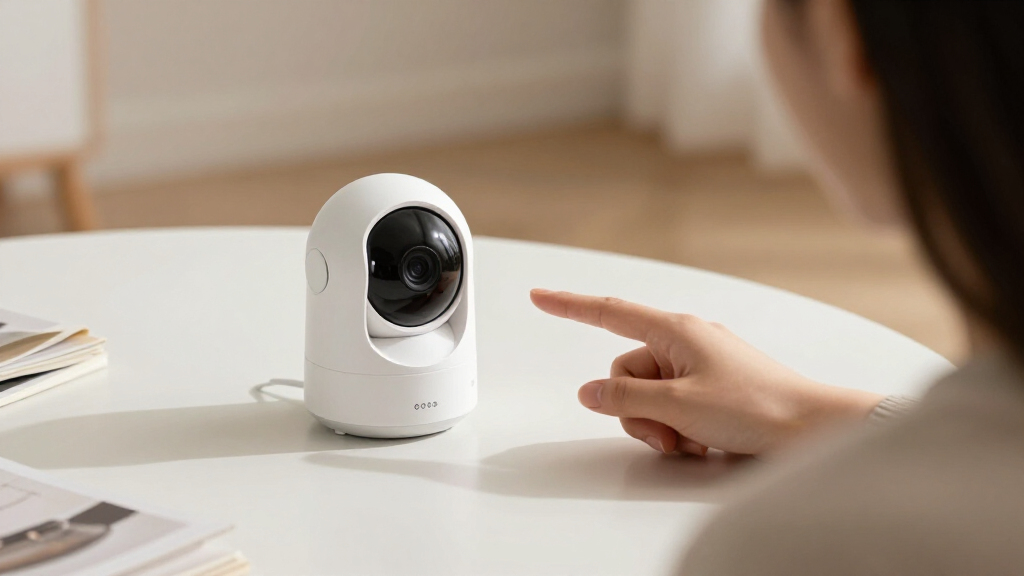

Choosing smart home security cameras means deciding who will manage the system when an alert arrives. DIY cameras are generally easier to buy incrementally and cost less to install, but the owner must configure them, review notifications, and decide what to do about a possible incident. Professionally installed, monitored systems cost more and may involve a contract, but they can provide expert placement, coordinated equipment, and a monitoring center that can act when you cannot.

Get everyday essentials delivered free with Prime
- Fast, free delivery on millions of items
- Prime Video, Amazon Music and more included
- Member-only deals all year

Blink Outdoor 4 Wireless Security Camera System, 5 Cameras
- ✔ Camera count: 5
- ✔ Video: 1080p HD live view
- ✔ Field of view: 143° diagonal
Blink Outdoor 4 Wireless Security Camera System, 3 Cameras with Sync Module Core
- ✔ Camera count: 3
- ✔ Video: 1080p HD live view
- ✔ Night vision: Infrared
Blink Outdoor 4 Wireless Security Camera System, 2 Cameras
- ✔ Camera count: 2
- ✔ Video: 1080p HD live view
- ✔ Night vision: Infrared
The difference matters most when a camera is part of a wider security plan. A renter who wants a doorbell view and a few phone alerts may get better value from DIY equipment. A household that wants coverage across several entry points, help with setup, and a response path during work or travel may find professional service worth paying for. The right choice depends on how much responsibility you want to keep and what happens after the camera detects something.
At a Glance
| Criteria | DIY smart security cameras | Professionally installed, monitored camera systems | Winner |
|---|---|---|---|
| Upfront and ongoing cost | Usually lower initial cost; optional cloud plans can add recurring fees. | Higher installation and service costs; monitoring often requires a recurring plan or contract. | A |
| Installation and setup | Self-installed; placement and configuration are the owner’s responsibility. | A technician can install equipment and help optimize coverage and settings. | B |
| Monitoring and response | Alerts go to the owner or chosen contacts; no automatic professional response unless separately arranged. | A monitoring center may review signals and follow an agreed response process; exact services vary. | B |
| Camera selection and flexibility | Broad mix of brands and devices; easy to add or replace cameras, though compatibility varies. | Typically a more coordinated package, with fewer choices outside the provider’s supported equipment. | A |
| Privacy and data control | More choice over brands and settings; cloud recording still depends on the provider’s policies. | Privacy and recording controls depend on the provider, equipment, and service terms. | Depends |
| Reliability and support | Support varies by manufacturer; owner handles troubleshooting and upkeep. | A provider may offer centralized support, though service quality and contract terms vary. | B |
| Best fit | People who want affordable, flexible coverage and are comfortable managing alerts. | Households that value setup help and a response service enough to pay ongoing fees. | Depends |
Blink Outdoor 4 Wireless Security Camera System, 5 Cameras
When our priority is covering several sides of a home, the five-camera bundle is the strongest match in this lineup. We can assign cameras to multiple entrances and outdoor approaches without needing to build the system one small kit at a time. It offers the same 1080p live view, infrared night vision, two-way audio, and enhanced motion detection as the smaller Blink kits, so its advantage is coverage rather than a higher-performing camera.The included batteries are rated for up to two years, which can make wireless placement more convenient where running power is awkward. The system also includes five mounting kits, a Sync Module Core, and ten AA lithium batteries. Compared with the three-camera bundle, it gives us two more cameras for a more complete perimeter plan; compared with the two-camera bundle, it is aimed at monitoring a property rather than just a pair of priority spots.That broader setup has a catch: more cameras do not resolve the shared storage limitation. The Sync Module Core does not include local storage, while cloud storage and person detection require a subscription. Buyers who want recordings without a subscription should account for that before choosing any of these kits. We would also avoid treating the two-year battery rating as a fixed replacement schedule, since usage and conditions affect battery life.
Pros:
- Five cameras support wider coverage in a single system.
- 1080p live view and infrared night vision are suited to day and nighttime checks.
- Two-way audio and enhanced motion detection support interactive monitoring.
- Batteries are rated for up to two years, and five mounting kits are included.
Cons:
- Sync Module Core does not include local storage.
- Cloud storage and person detection require a subscription.
- Five cameras may be more than needed for a focused two-location setup.
Best for: Households that want to monitor several entrances and outdoor areas with one multi-camera wireless kit.
Not ideal for: Buyers who need local recording without a subscription or only have one or two areas to monitor.
Bottom line: We recommend this kit for broad property coverage, provided its subscription-dependent storage features fit our needs.
“We recommend this kit for broad property coverage, provided its subscription-dependent storage features fit our needs.”
Blink Outdoor 4 Wireless Security Camera System, 3 Cameras with Sync Module Core
For many homes, three cameras are enough to cover the places we care about most without committing to a broader five-camera layout. This bundle works well as a middle ground: we might watch the front door, a rear entrance, and a driveway, then expand later if the property calls for it. The core features match the larger kit, including 1080p live view, infrared night vision, two-way talk, and dual-zone enhanced motion detection.Compared with the five-camera system, this set asks us to be more selective about placement, but it avoids leaving two cameras unused if our coverage needs are modest. Compared with the two-camera option, the third camera gives us more flexibility to watch an additional entrance or approach. Alexa compatibility can also fit into a home already using Alexa devices, though the supplied details do not describe specific routines or integrations.Its compromises are the same ones found across the lineup. The included Sync Module Core has no local storage, and cloud storage and person detection require an optional subscription. Six AA Energizer lithium batteries and three mounting kits are included. Up to two years of battery life is a rating, not a guarantee, so camera activity and environmental conditions still matter. This is the best fit when three deliberate camera positions cover the security priorities.
Pros:
- Three cameras balance coverage and a manageable setup.
- 1080p live view, infrared night vision, and two-way talk are included.
- Dual-zone enhanced motion detection helps define monitored areas.
- Alexa compatibility and three mounting kits are included.
Cons:
- Local storage is not included with Sync Module Core.
- Cloud storage and person detection require an optional subscription.
- Three cameras may not cover larger properties or all desired approaches.
Best for: Households that want to monitor a few key locations and value a middle ground between two and five cameras.
Not ideal for: Buyers who need extensive perimeter coverage, local storage without a subscription, or only one camera location.
Bottom line: We would choose the three-camera kit when a few carefully selected views matter more than maximum coverage.
“We would choose the three-camera kit when a few carefully selected views matter more than maximum coverage.”
Blink Outdoor 4 Wireless Security Camera System, 2 Cameras
When we only need eyes on two locations, the two-camera set avoids buying coverage we have no plan to use. A front entrance and garage, or a back door and side path, are the kind of paired positions this bundle suits. It shares the same 1080p live view, infrared night vision, two-way audio, and enhanced motion detection as the larger systems, so there is no stated compromise in those core camera capabilities.Its role is narrower than the three-camera kit, which is the more flexible option if we have a third priority zone. It is also much less suited than the five-camera bundle to monitoring several sides of a home. The included Sync Module Core, four Energizer lithium batteries, and Alexa compatibility support a basic wireless setup, while the battery rating of up to two years can reduce the need for frequent replacement under suitable conditions.The same storage question applies here: the module does not offer local storage, and cloud recording and person detection require a subscription plan. That matters especially for a small system, where buyers may expect a simple entry point to include straightforward recording. We should choose this kit for two clear camera positions, rather than as a substitute for wider property coverage.
Pros:
- Two cameras suit a targeted monitoring plan.
- 1080p live view and infrared night vision are included.
- Two-way audio and enhanced motion detection match the larger kits.
- Alexa compatibility and batteries rated for up to two years.
Cons:
- Two cameras provide the least coverage in this comparison.
- Sync Module Core does not include local storage.
- Cloud storage and person detection require a subscription plan.
Best for: People who want to monitor two specific spots, such as a front door and garage, with a wireless Alexa-compatible system.
Not ideal for: Households that need three or more camera views or require local recordings without subscribing.
Bottom line: We recommend this bundle for two well-defined monitoring zones, with the three-camera kit a better choice when coverage needs are broader.
“We recommend this bundle for two well-defined monitoring zones, with the three-camera kit a better choice when coverage needs are broader.”
As an Amazon Associate we earn from qualifying purchases.
Key Differences
The biggest practical divide is responsibility after installation. With DIY cameras, the homeowner chooses placement, network settings, notification rules, and recording options, then responds to alerts. That can be a sensible arrangement when someone is usually available to check a phone and the goal is visibility rather than a formal response service. It also means a missed notification, weak Wi-Fi, or poorly aimed camera is the owner’s problem to identify and fix.
Professional systems shift some of that work to the provider. Installation can help cover entry points and integrate cameras with alarms or other devices, while monitoring may give an alert a response path beyond the household. Those services do not guarantee that every event will be identified correctly or that help will arrive immediately; service details, local availability, and dispatch procedures differ. The premium is most defensible for people who need support when they are unavailable or who would rather not design and maintain the setup themselves.
Ownership and flexibility pull in the other direction. DIY buyers can often choose among brands and add cameras room by room, but they must check compatibility and account for subscriptions. Professional packages may be simpler as a single system, yet tie equipment, support, and monitoring to one provider. Before paying for either route, check storage terms, contract length, cancellation rules, and what happens to recordings if the service ends.
Detailed Comparison
Upfront and ongoing cost (DIY smart security cameras wins — major)
DIY wins on typical entry cost because buyers can start with one camera and add equipment over time. A cloud recording plan may still create a monthly charge, and buying several cameras, local storage, or upgraded networking can raise the total. Professional service adds installation and often monitoring fees, so the gap is major for a small home setup. It can narrow when the DIY system grows or when the household places real value on monitoring and service support.
Installation and setup (Professionally installed, monitored camera systems wins — moderate)
Professional installation wins by a moderate margin for households unfamiliar with camera placement, Wi-Fi coverage, or alarm integration. A technician can help identify blind spots and configure a coordinated system. DIY products are designed for owner setup and can be quick to install, especially wireless models, but the final coverage depends on the owner’s choices. Choose professional help if setup confidence is low; choose DIY if you are comfortable testing angles and connections.
Monitoring and response (Professionally installed, monitored camera systems wins — major)
Professional monitoring wins when the goal is a response path that does not depend solely on the owner seeing a notification. Depending on the plan, a monitoring center may contact the household or emergency services according to configured procedures. This is a major difference for frequent travelers, people who cannot reliably check a phone, or households integrating cameras with an alarm. DIY alerts offer more direct personal control and avoid a monitoring fee, but they are only useful if someone can act on them.
Camera selection and flexibility (DIY smart security cameras wins — moderate)
DIY wins by a moderate margin for buyers who want to mix brands, expand gradually, or move equipment between homes. Choice can be constrained by app ecosystems and smart home compatibility, so check integrations before buying. Professional packages tend to favor one provider’s supported devices. That can make the system easier to manage as a package, but upgrades and substitutions may be more limited or tied to service terms.
Privacy and data control (moderate difference)
This is a genuine tie because neither category guarantees stronger privacy. DIY gives the buyer more choice among providers, recording methods, and account settings, but requires research into encryption, access controls, retention, and cloud policies. Professional services may centralize management and support, while also placing footage and account data within the provider’s system. Compare the specific products and terms, set strong account security, and avoid indoor camera placement where recording would be intrusive.
Reliability and support (Professionally installed, monitored camera systems wins — moderate)
Professional service has a moderate advantage when it includes installation assistance and a clear support channel. That can reduce the burden of diagnosing camera placement, connectivity, or equipment issues. It does not remove dependence on power, internet, provider systems, or cellular backup where applicable. DIY support varies widely by brand, and owners take the lead on troubleshooting. Buyers should compare outage behavior, backup options, warranty terms, and support availability rather than assume either category is always online.
Best fit (major difference)
There is no universal winner. DIY is a stronger fit for a smaller budget, a limited number of cameras, and an owner who wants control over setup and alerts. Professional service makes more sense when expert installation and a staffed response process solve a concrete household need. The choice turns on the value of that support: if nobody can respond to alerts reliably, a professional plan may justify its recurring cost; if alerts are enough, DIY usually delivers better value.
DIY smart security cameras: Pros and Cons
Pros:
- Lower typical starting cost and easy incremental expansion.
- Wide choice of camera brands, features, and installation styles.
- Owner controls alert preferences and can often select recording options.
Cons:
- Owner must place, configure, maintain, and troubleshoot the system.
- Phone alerts depend on someone noticing and acting on them.
- Cloud recording, advanced detection, or longer history may require a subscription.
Professionally installed, monitored camera systems: Pros and Cons
Pros:
- Professional help with placement, setup, and integration.
- Monitoring may provide a response process when household members are unavailable.
- Centralized service and support can reduce the owner’s maintenance workload.
Cons:
- Higher initial and recurring costs can accumulate over time.
- Contracts, service terms, and provider-supported equipment can limit flexibility.
- Monitoring scope and response depend on the exact plan and local procedures.
Who Should Choose What
Choose DIY smart security cameras if:
- You want a few cameras for awareness and can respond to alerts yourself.
- You rent, expect to move, or want to install equipment without scheduling a technician.
- You prefer choosing devices and subscriptions yourself and keeping recurring costs low.
Choose Professionally installed, monitored camera systems if:
- You want an installer to assess coverage and configure a coordinated system.
- You travel often or cannot reliably watch phone alerts and value a monitoring service.
- You prefer provider support and accept ongoing fees or contract terms for that help.
Skip both if: You need guaranteed uninterrupted recording or guaranteed emergency response; camera and monitoring services can be affected by power, network, equipment, and service limitations.
Value for Money
DIY is usually the better value when the main goal is checking a doorway, driveway, or shared exterior area from a phone. You pay for the cameras and any services you actually use, while keeping control over upgrades. Include cloud storage and other recurring features in the cost comparison: a low equipment price can become less attractive if essential functions require a plan.
Paying more for a professional system is worthwhile when installation help and monitored response address a real gap in the household’s ability to manage incidents. Compare the full cost over the contract term, including equipment, installation, monitoring, and cancellation charges. If the household will still rely on someone noticing and handling every alert, the added fee may buy little practical value; if support and a defined response process are the point, the premium can be justified.
Final Verdict
For most people who want a few smart cameras and can manage notifications, choose DIY. It offers lower entry costs, more room to select equipment, and enough visibility for routine check-ins. Choose a professionally installed and monitored system when you need help planning coverage or want an alert response process that does not rest entirely on you. The deciding factor is what should happen after detection: personal review favors DIY, while supported setup and monitoring can justify the extra cost.
Frequently Asked Questions
Are DIY security cameras enough for most homes?
They can be enough when the goal is viewing activity and a household member can respond to alerts. Coverage, internet reliability, recording options, and alert settings still matter. DIY cameras do not by themselves provide a staffed response service.
Is professional camera monitoring worth the monthly fee?
It can be worth paying for if household members are often unavailable and the provider’s response process fits your needs. Read the service terms to learn what triggers contact or dispatch, what fees apply, and whether a contract is required.
Can DIY cameras call emergency services?
Some products or plans may offer additional response features, but ordinary camera notifications do not automatically send help. Check the exact service, its local availability, and the steps required before relying on it.
Which option gives better privacy?
Neither category is automatically more private. Privacy depends on camera placement, account security, recording settings, provider data practices, and who can access footage. Review those details for the specific system before installation.